.png)
.png)
.png)
.png)
UNLOCK
GhostWriter comes with everything you need to write in a natural, human-style flow. Every plan includes the Human Auto Typer, AI rewriting, and humanize mode, so your drafts look real from start to finish. If you write occasionally, a lighter plan is enough. If you’re working on essays every week, Pro gives you more control, more automation, and the extra features that make long assignments easier.
CHOOSE YOUR PLAN
Both plans give you the core GhostWriter experience, natural writing, Human Auto Typer, and clean drafts inside Google Docs. Pick Lite if you use it now and then. Go Pro if you write every week and want scheduling plus advanced human-randomization controls.
Perfect for casual users who want stealth AI writing without breaking the bank.
What's included:

No matter which plan you choose, you get the core GhostWriter experience. These features are always part of Lite, Pro, and Custom, so you can write naturally, rewrite fast, and keep your drafts looking real.


TRAINNING
Turn features into outcomes instead.

Featured and content section can be
added here (description or information)

Featured and content section can be
added here (description or information)

Featured and content section can be
added here (description or information)

Featured and content section can be
added here (description or information)

Featured and content section can be
added here (description or information)
Draft in minutes instead of hours with live, human-style typing.
Turn rough thoughts into clean, well-structured writing.
Deliver drafts that feel polished, natural, and ready to submit.
Spend less time stuck on words and more time getting things done.
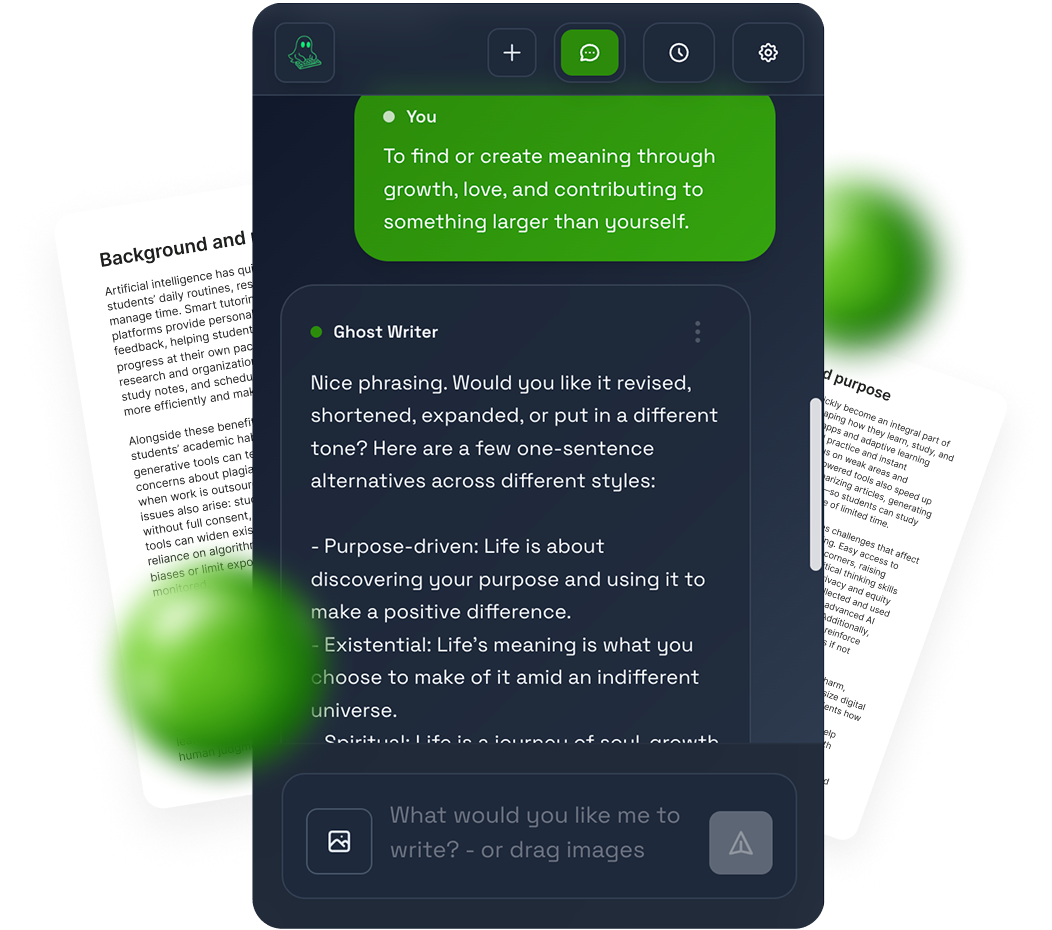
GhostWriter doesn’t just generate text for you to paste. It uses a Human Auto Typer that writes inside Google Docs character by character, with natural pacing and edits. That creates a real writing trail and revision history, which most tools don’t offer.
Right now, GhostWriter is built around Google Docs because that’s where most students write and where revision history matters most. The whole workflow is designed to stay inside your doc instead of moving text between tools.
Yes. You can paste a rough draft (yours or AI-assisted) and use rewrite or humanize mode to clean it up, improve flow, and make it sound more natural while keeping your meaning.
No tool can promise that 100% because detection systems keep changing. What GhostWriter does is reduce obvious AI signals by writing in a human flow and building an authentic doc history instead of a sudden pasted block.
Pro lets you set a time for GhostWriter to write your draft later. It’s useful if you plan work ahead or want a draft ready before a deadline without having to sit there while it types.
Students are the main focus, especially for academic writing like essays and reports, but anyone who wants natural-looking drafts in Google Docs can use it.